For this lesson, we'll be using a new project of mine (www.fishingstuart.com) to discuss the use of PHP and MySQL in various ways.
As I've gotten the basic layout done, I'm going to start from the top down in refining, and making this a more easily customizable website.
At the top of each page, between the header and the body is the menu-bar.

The menu bar is set-up so that when you "hover" over any of the menu choices (well call them categories in the database), that you get a drop-down menu.
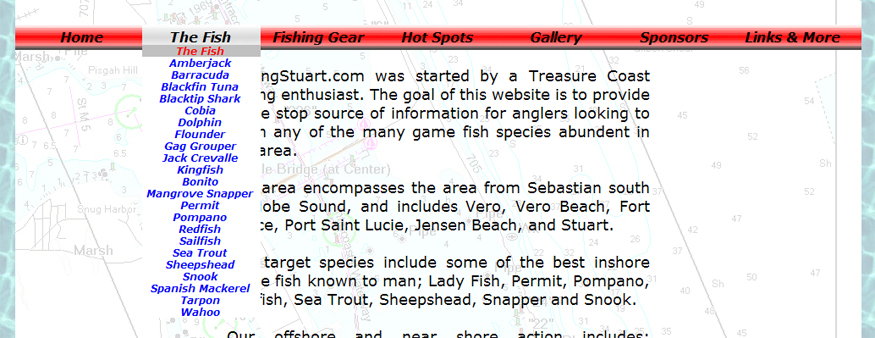
The dropdown menus can contain either items (as shown above, subcategories (as shown below), or a combination of the two
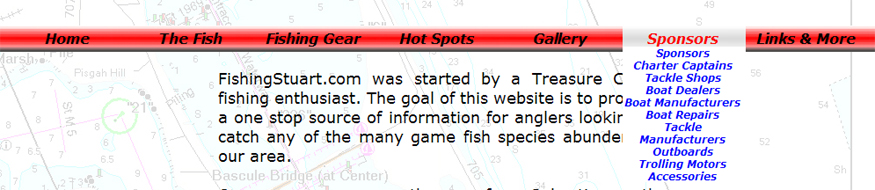
The dropdown effect is done with JavaScript, and will be covered later, but we're first going to take a look on how to organize the menu items.
As mentioned earlier, the primary menubar is composed of items, for the database, we'll call these items "categories"
The dropdown menus contain "subcategories" and "items"
Something to keep in mind, is that every item MUST be associated with a category, but it is not necessary to associate it with a subcategory.
In the first example, the category is "fish", and the items are the different fish species, however, in the second example, the category is "sponsors", and the subcategories include charter captains, tackle shops, etc.
As we go on further, we will associate items with each of the subcategories, for example, Captain Mike Holliday would be an item under the subcategory of charter captains, which is a subcategory of the category sponsors.
If it sounds confusing, don't worry, it will make more sense as we move along to defining the MySQL database in step 2.
|
